Other Ways to Do Manual Migration | PVE Series 3
🌐 中文版:繁體中文
Preface
In the first post of the PVE series, I demonstrated migration from the PVE console. Here I record another way to do migration.
Manual migration
You can first enter a node’s shell, then go to the /etc/pve/nodes directory, where you’ll find all the nodes in the same cluster.
1 | root@pve:/etc/pve/nodes# ls -l |
Then enter the target node pve2, where you’ll find many directories. The ones related to migration are lxc and qemu-server, depending on whether you’re migrating a container or a VM. To migrate a container, move the config file under lxc to the same path on the target node, e.g. /etc/pve/nodes/pve/lxc/. Likewise for a VM: move the config file under qemu-server to /etc/pve/nodes/pve/qemu-server/.
1 | root@pve:/etc/pve/nodes/pve2# ls -l |
Since we’re migrating a VM, enter qemu-server/, where you’ll find two VMs.
1 | root@pve2:/etc/pve/nodes/pve2/qemu-server# ls -l |
We choose to migrate VM 101, so move 101.conf to the corresponding directory on the other node pve.
1 | mv 101.conf ../../pve/qemu-server/ |
Then check on the pve node.
1 | root@pve:/etc/pve/nodes/pve/qemu-server# ls -l |
After confirming the move is done, check the VM’s status.
1 | qm list |
You’ll find VM 101 is stopped; then start it with a command.
1 | qm start 101 |
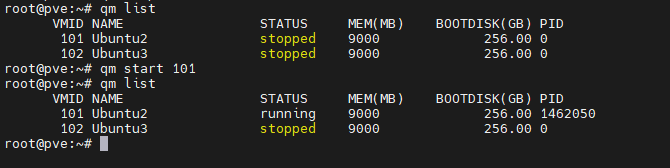
The VM has moved and started successfully, running smoothly.
Migration with local storage
In PVE, you can also use a ready-made command to online-migrate a VM with a local disk:
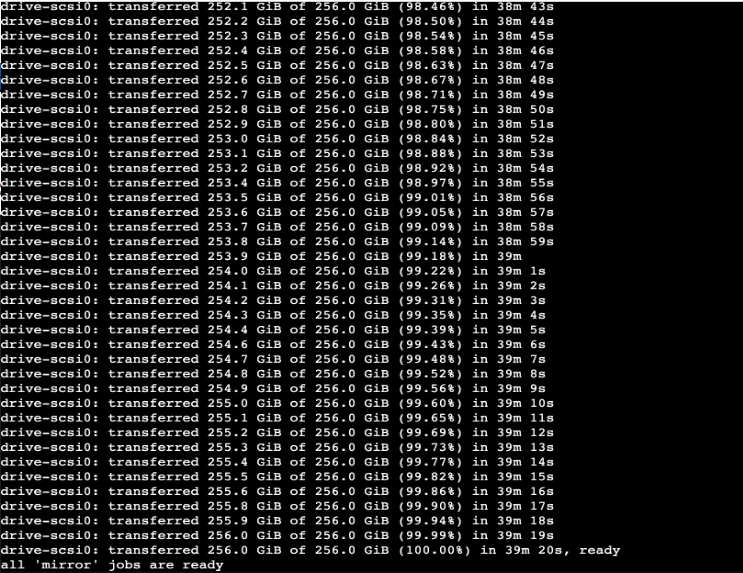
1 | qm migrate <vmid> <targetnode> --with-local-disks --online |
But actual measurement showed it took nearly 40 minutes to migrate, and that’s just a 256GB Ubuntu VM.
Closing
This post just records that migration can be done by moving the config file.


If you find my articles helpful, please support Kevin!
 Use boba to safe Kevin!