🌐 中文版:繁體中文

Amazon MQ

Amazon MQ offers managed ActiveMQ, a message-queue service. I recently ran into the question of how to do horizontal scaling on Amazon MQ.

First, a quick explanation of the difference between vertical scaling and horizontal scaling.

Scaling means expanding. Vertical scaling focuses on boosting a single instance’s compute power, so vertical scaling might be a better CPU/GPU, larger memory capacity, and so on.

In terms of AWS services, it might be swapping the instance; for MQ it would be switching from t3.Micro to m5.large.

[+] Instance types - https://docs.aws.amazon.com/zh_tw/amazon-mq/latest/developer-guide/broker-instance-types.html

Horizontal scaling usually means the architecture receives more messages, so you need to scale based on traffic/message volume and share the load off a single instance.

ActiveMQ network of brokers

This is a native ActiveMQ feature. A network of brokers contains multiple brokers connected together; the brokers can share info about the clients and destinations they host, and can route messages between each other over the network.

A broker can be:

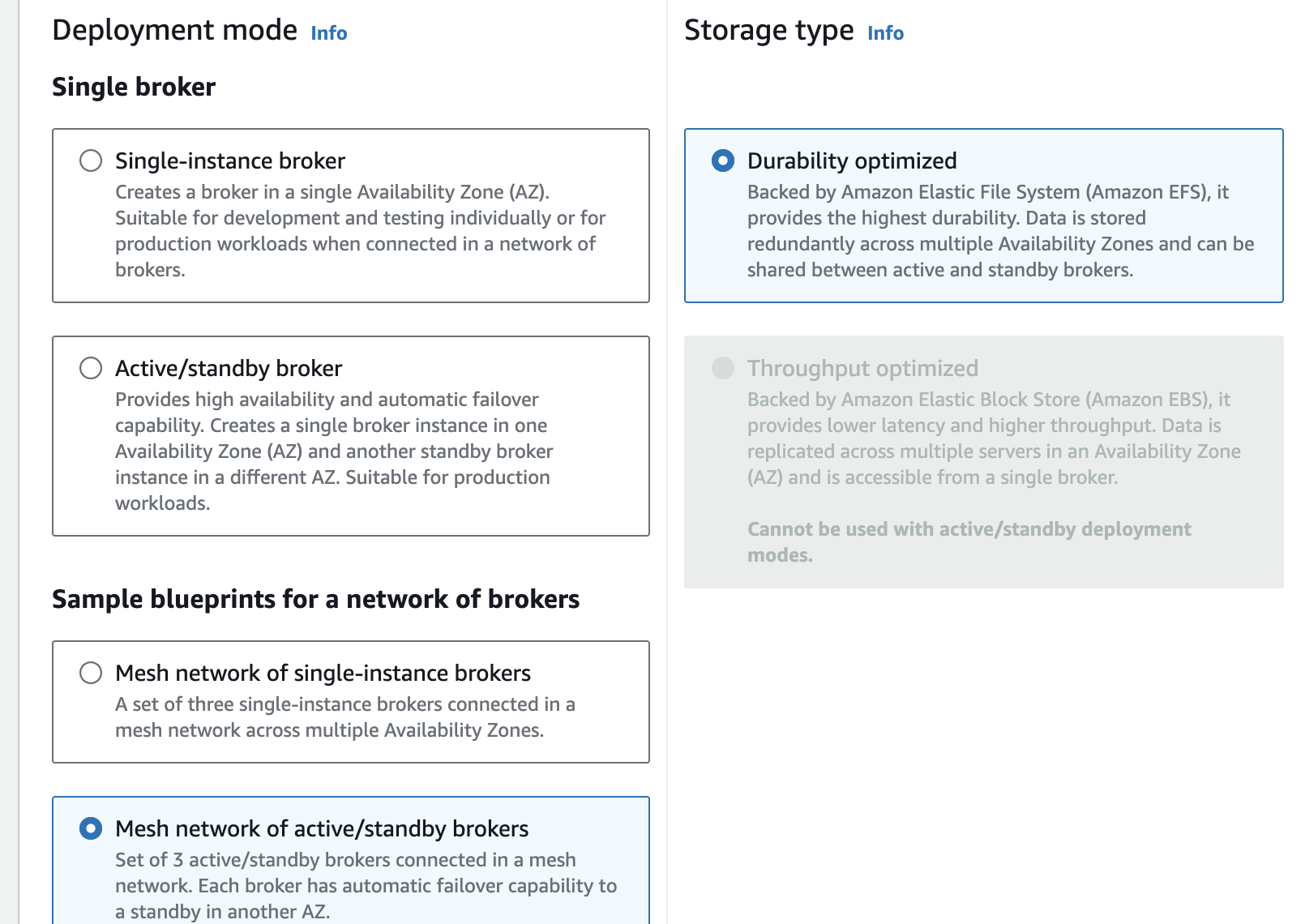
  • A single-instance broker (unavailable if the node fails, unless restarted)
  • Active/Standby brokers (the network has a standby broker that can share storage; if the active node fails, the standby takes over)

Generally, if there’s a need for horizontal scaling, a network of brokers is used.

[+] Amazon MQ network of brokers - https://docs.aws.amazon.com/zh_tw/amazon-mq/latest/developer-guide/network-of-brokers.html

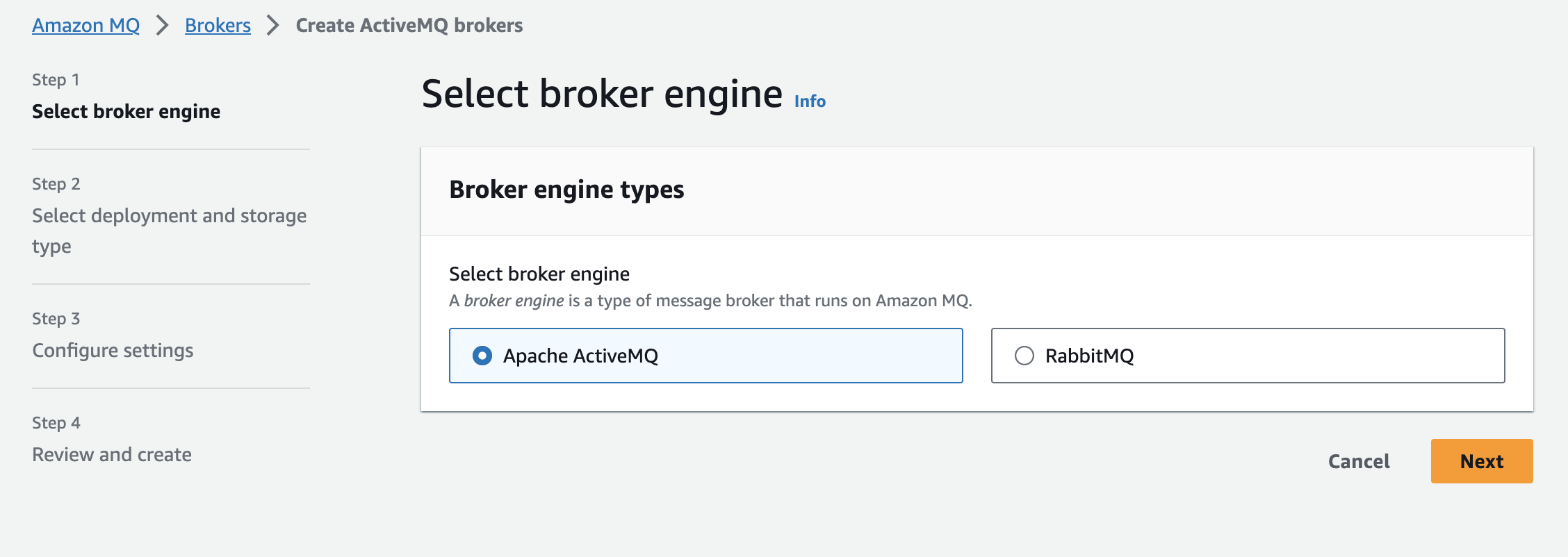
Below are the step-by-step build steps.

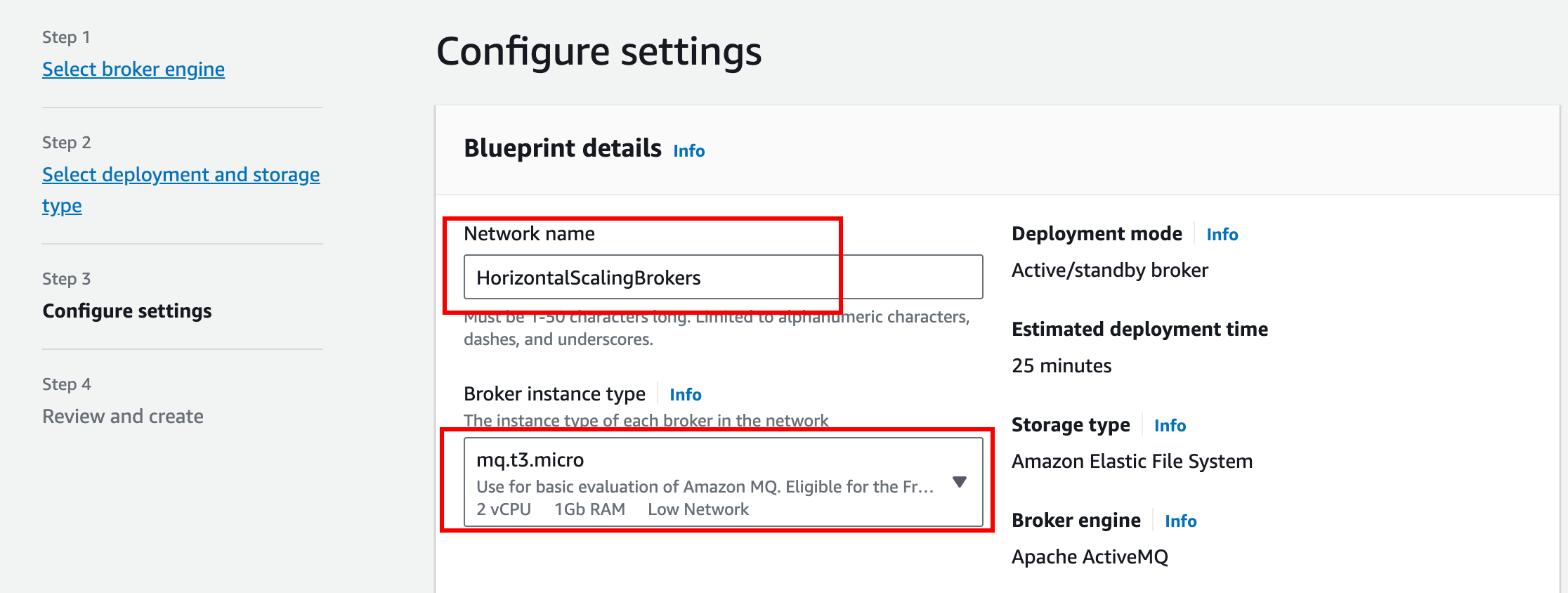
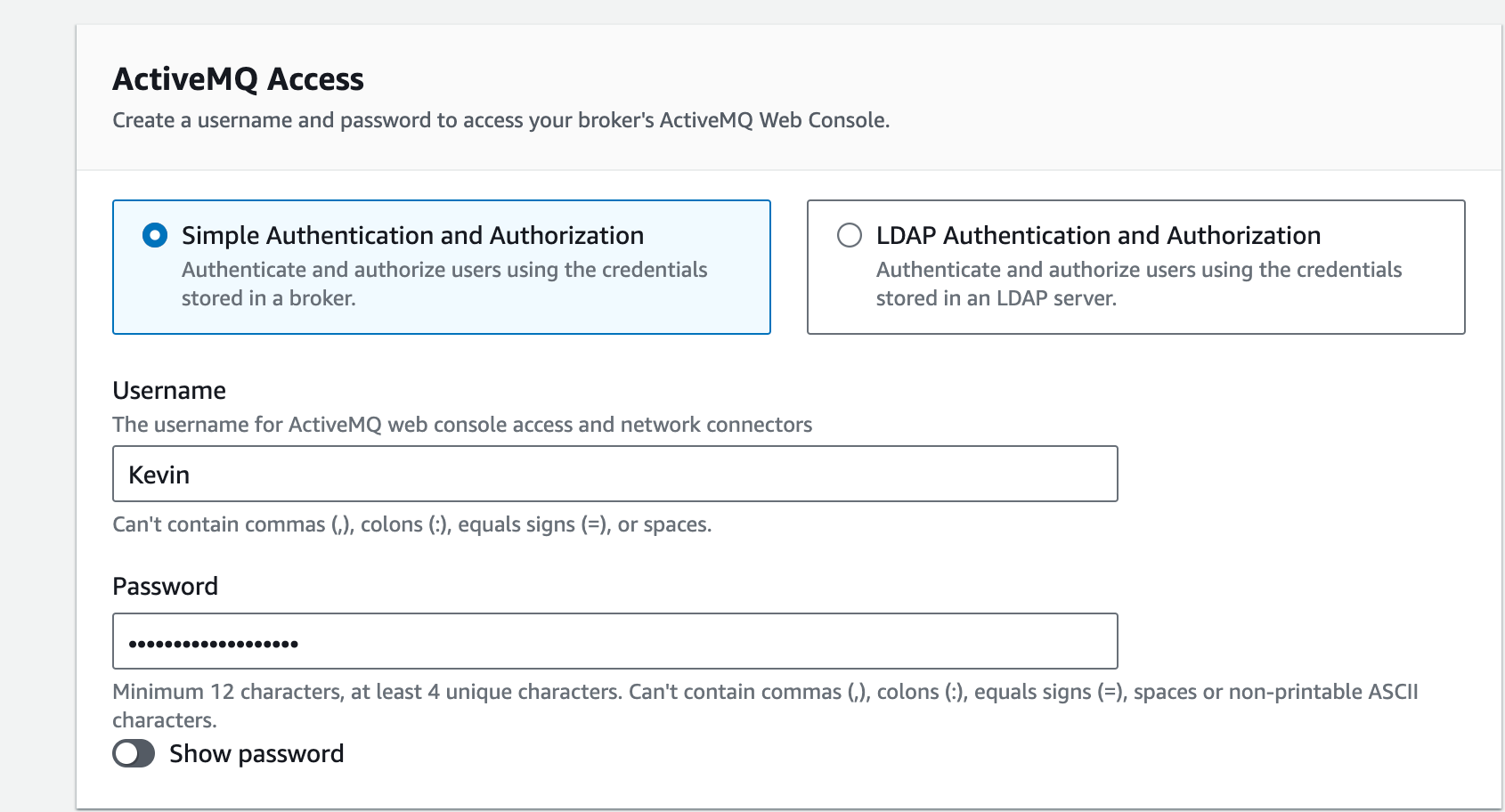
Steps

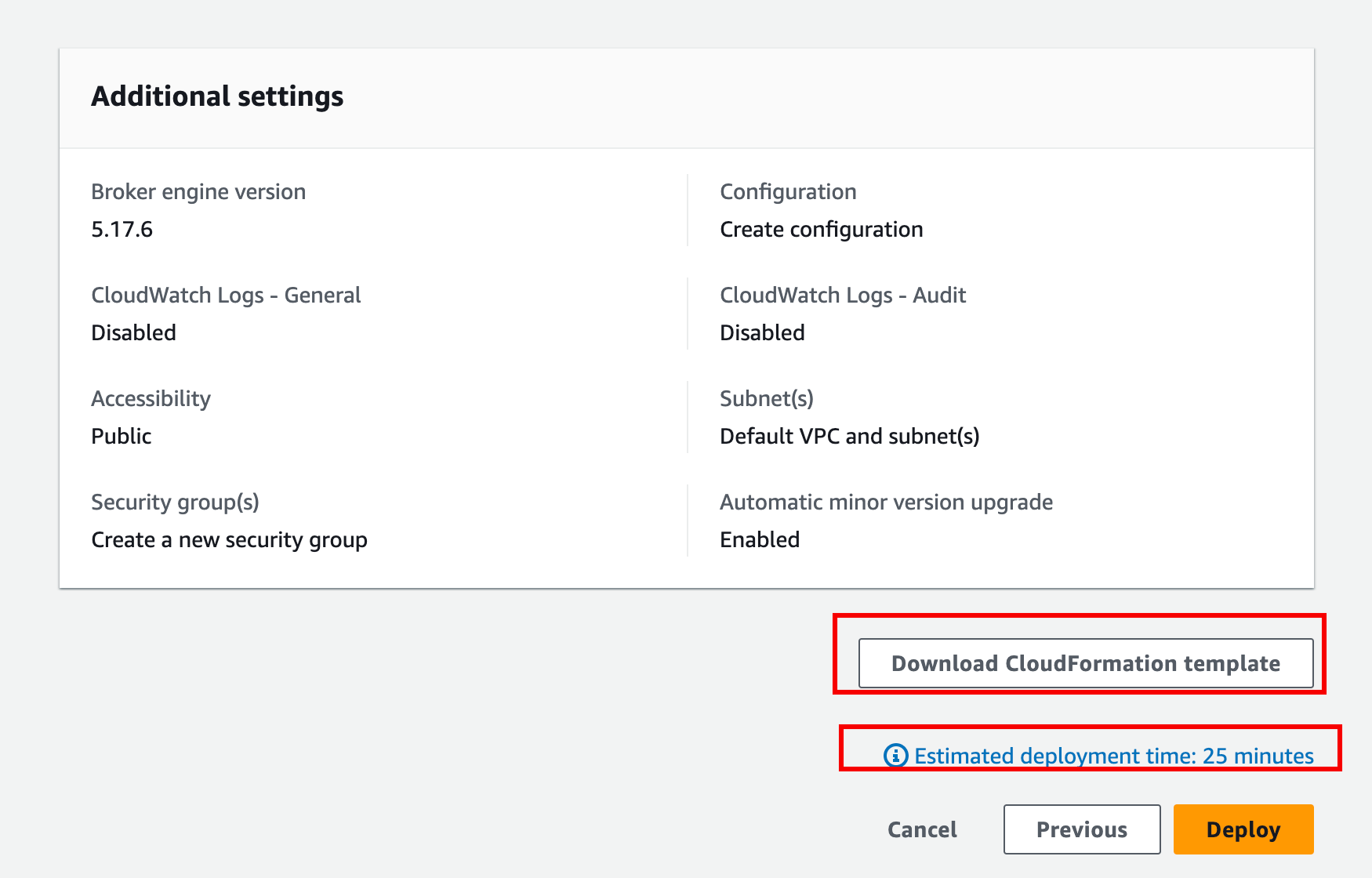
Choose Next

Here you can download the CloudFormation template, convenient for modifying the configuration and redeploying later.

Estimated deployment time: 25 minutes

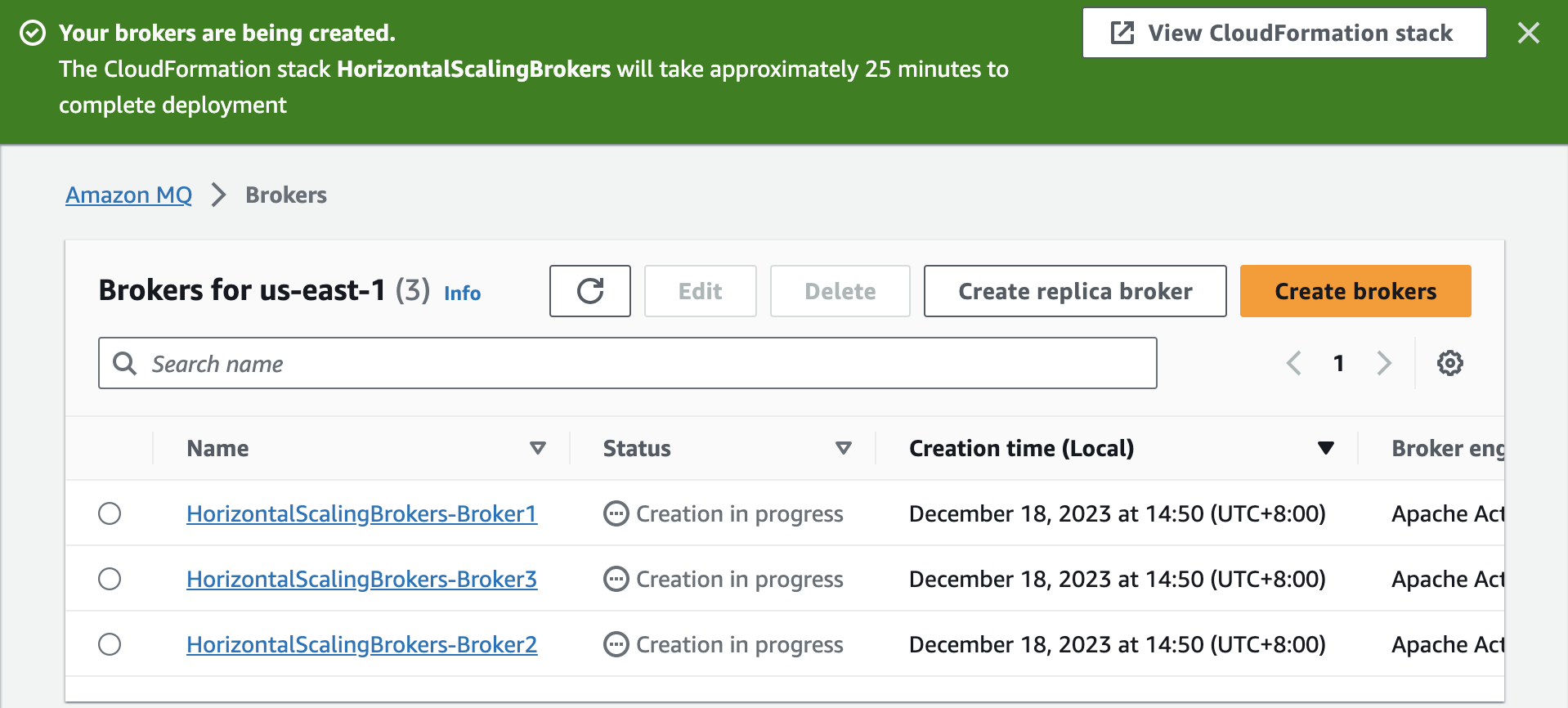
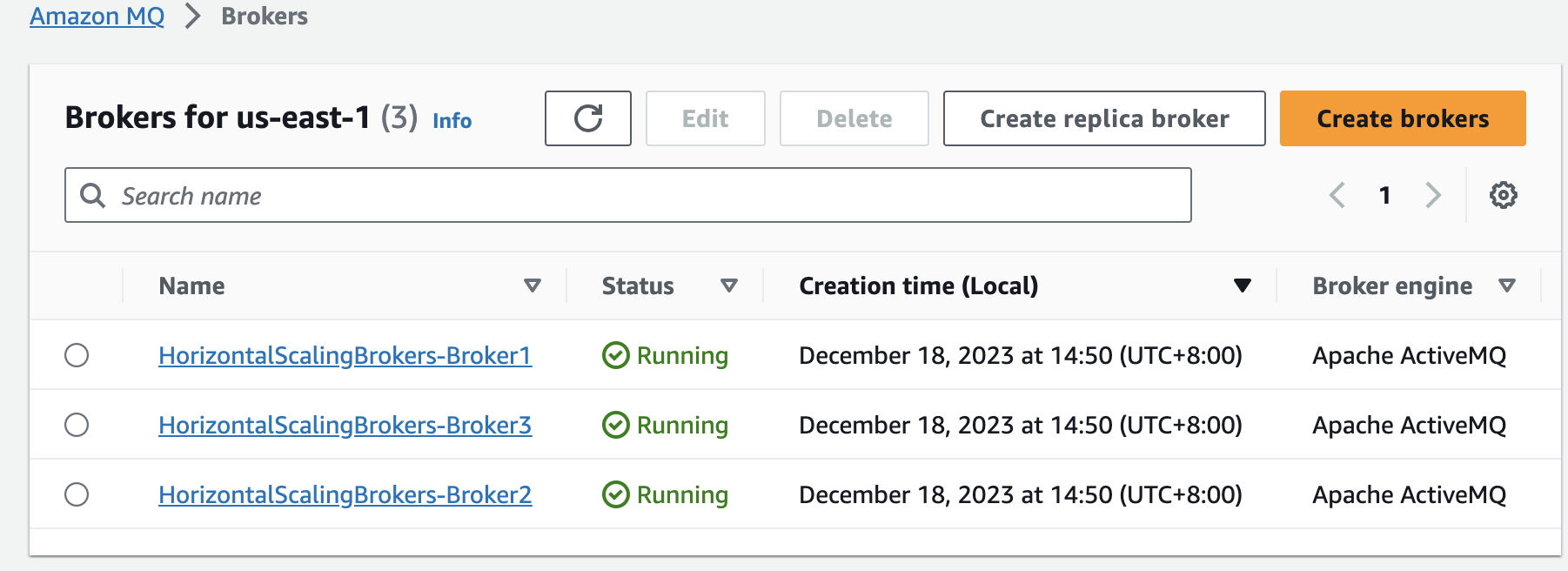
You can see all three brokers deploying.

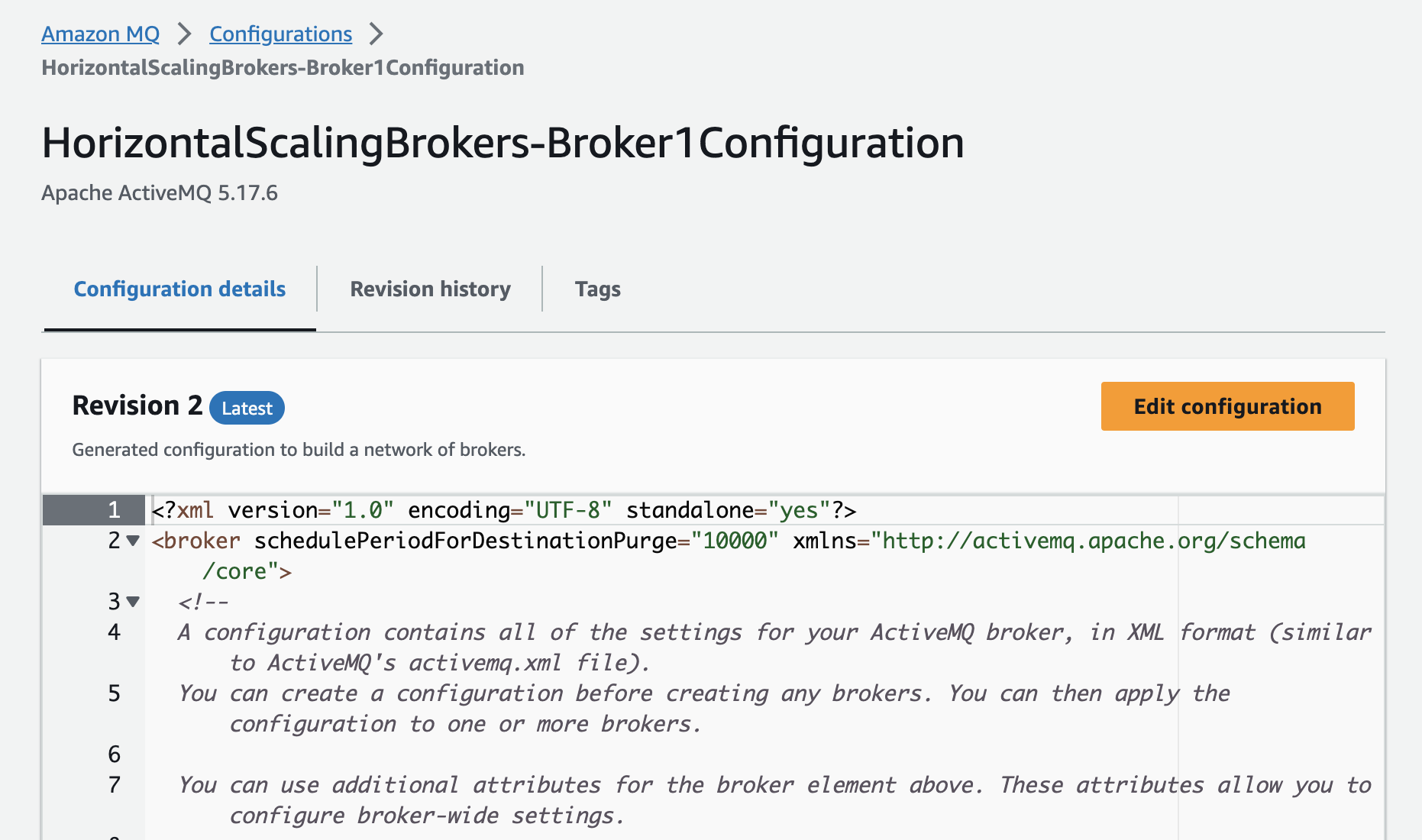
You can click into a broker to view its detailed configuration.

In the config file, you can design the MQ topology by editing the attributes within <networkConnector></networkConnector>.

Here are the current brokers’ configurations.

  • Broker1’s configuration
1
2
3
4
5
6
7
8
9
10
11
12
13
14
15
16
17
18
19
20
21
22
<networkConnectors>
<networkConnector conduitSubscriptions="false" consumerTTL="1" messageTTL="-1" name="QueueConnectorConnectingToBroker2" uri="masterslave:(ssl://b-88e0e40a-d67a-4476-ac04-9015b4a491e5-1.mq.us-east-1.amazonaws.com:61617,ssl://b-88e0e40a-d67a-4476-ac04-9015b4a491e5-2.mq.us-east-1.amazonaws.com:61617)" userName="Kevin">
<excludedDestinations>
<topic physicalName="&gt;"/>
</excludedDestinations>
</networkConnector>
<networkConnector conduitSubscriptions="true" consumerTTL="1" messageTTL="-1" name="TopicConnectorConnectingToBroker2" uri="masterslave:(ssl://b-88e0e40a-d67a-4476-ac04-9015b4a491e5-1.mq.us-east-1.amazonaws.com:61617,ssl://b-88e0e40a-d67a-4476-ac04-9015b4a491e5-2.mq.us-east-1.amazonaws.com:61617)" userName="Kevin">
<excludedDestinations>
<queue physicalName="&gt;"/>
</excludedDestinations>
</networkConnector>
<networkConnector conduitSubscriptions="false" consumerTTL="1" messageTTL="-1" name="QueueConnectorConnectingToBroker3" uri="masterslave:(ssl://b-52af7fc7-4bb2-4c0d-b427-11a1c965434f-1.mq.us-east-1.amazonaws.com:61617,ssl://b-52af7fc7-4bb2-4c0d-b427-11a1c965434f-2.mq.us-east-1.amazonaws.com:61617)" userName="Kevin">
<excludedDestinations>
<topic physicalName="&gt;"/>
</excludedDestinations>
</networkConnector>
<networkConnector conduitSubscriptions="true" consumerTTL="1" messageTTL="-1" name="TopicConnectorConnectingToBroker3" uri="masterslave:(ssl://b-52af7fc7-4bb2-4c0d-b427-11a1c965434f-1.mq.us-east-1.amazonaws.com:61617,ssl://b-52af7fc7-4bb2-4c0d-b427-11a1c965434f-2.mq.us-east-1.amazonaws.com:61617)" userName="Kevin">
<excludedDestinations>
<queue physicalName="&gt;"/>
</excludedDestinations>
</networkConnector>
</networkConnectors>
  • Broker2’s configuration
1
2
3
4
5
6
7
8
9
10
11
12
13
14
15
16
17
18
19
20
21
22
<networkConnectors>
<networkConnector conduitSubscriptions="false" consumerTTL="1" messageTTL="-1" name="QueueConnectorConnectingToBroker1" uri="masterslave:(ssl://b-853601ab-b005-4305-b511-283b560a6ddb-1.mq.us-east-1.amazonaws.com:61617,ssl://b-853601ab-b005-4305-b511-283b560a6ddb-2.mq.us-east-1.amazonaws.com:61617)" userName="Kevin">
<excludedDestinations>
<topic physicalName="&gt;"/>
</excludedDestinations>
</networkConnector>
<networkConnector conduitSubscriptions="true" consumerTTL="1" messageTTL="-1" name="TopicConnectorConnectingToBroker1" uri="masterslave:(ssl://b-853601ab-b005-4305-b511-283b560a6ddb-1.mq.us-east-1.amazonaws.com:61617,ssl://b-853601ab-b005-4305-b511-283b560a6ddb-2.mq.us-east-1.amazonaws.com:61617)" userName="Kevin">
<excludedDestinations>
<queue physicalName="&gt;"/>
</excludedDestinations>
</networkConnector>
<networkConnector conduitSubscriptions="false" consumerTTL="1" messageTTL="-1" name="QueueConnectorConnectingToBroker3" uri="masterslave:(ssl://b-52af7fc7-4bb2-4c0d-b427-11a1c965434f-1.mq.us-east-1.amazonaws.com:61617,ssl://b-52af7fc7-4bb2-4c0d-b427-11a1c965434f-2.mq.us-east-1.amazonaws.com:61617)" userName="Kevin">
<excludedDestinations>
<topic physicalName="&gt;"/>
</excludedDestinations>
</networkConnector>
<networkConnector conduitSubscriptions="true" consumerTTL="1" messageTTL="-1" name="TopicConnectorConnectingToBroker3" uri="masterslave:(ssl://b-52af7fc7-4bb2-4c0d-b427-11a1c965434f-1.mq.us-east-1.amazonaws.com:61617,ssl://b-52af7fc7-4bb2-4c0d-b427-11a1c965434f-2.mq.us-east-1.amazonaws.com:61617)" userName="Kevin">
<excludedDestinations>
<queue physicalName="&gt;"/>
</excludedDestinations>
</networkConnector>
</networkConnectors>
  • Broker3’s configuration
1
2
3
4
5
6
7
8
9
10
11
12
13
14
15
16
17
18
19
20
21
22
<networkConnectors>
<networkConnector conduitSubscriptions="false" consumerTTL="1" messageTTL="-1" name="QueueConnectorConnectingToBroker1" uri="masterslave:(ssl://b-853601ab-b005-4305-b511-283b560a6ddb-1.mq.us-east-1.amazonaws.com:61617,ssl://b-853601ab-b005-4305-b511-283b560a6ddb-2.mq.us-east-1.amazonaws.com:61617)" userName="Kevin">
<excludedDestinations>
<topic physicalName="&gt;"/>
</excludedDestinations>
</networkConnector>
<networkConnector conduitSubscriptions="true" consumerTTL="1" messageTTL="-1" name="TopicConnectorConnectingToBroker1" uri="masterslave:(ssl://b-853601ab-b005-4305-b511-283b560a6ddb-1.mq.us-east-1.amazonaws.com:61617,ssl://b-853601ab-b005-4305-b511-283b560a6ddb-2.mq.us-east-1.amazonaws.com:61617)" userName="Kevin">
<excludedDestinations>
<queue physicalName="&gt;"/>
</excludedDestinations>
</networkConnector>
<networkConnector conduitSubscriptions="false" consumerTTL="1" messageTTL="-1" name="QueueConnectorConnectingToBroker2" uri="masterslave:(ssl://b-88e0e40a-d67a-4476-ac04-9015b4a491e5-1.mq.us-east-1.amazonaws.com:61617,ssl://b-88e0e40a-d67a-4476-ac04-9015b4a491e5-2.mq.us-east-1.amazonaws.com:61617)" userName="Kevin">
<excludedDestinations>
<topic physicalName="&gt;"/>
</excludedDestinations>
</networkConnector>
<networkConnector conduitSubscriptions="true" consumerTTL="1" messageTTL="-1" name="TopicConnectorConnectingToBroker2" uri="masterslave:(ssl://b-88e0e40a-d67a-4476-ac04-9015b4a491e5-1.mq.us-east-1.amazonaws.com:61617,ssl://b-88e0e40a-d67a-4476-ac04-9015b4a491e5-2.mq.us-east-1.amazonaws.com:61617)" userName="Kevin">
<excludedDestinations>
<queue physicalName="&gt;"/>
</excludedDestinations>
</networkConnector>
</networkConnectors>

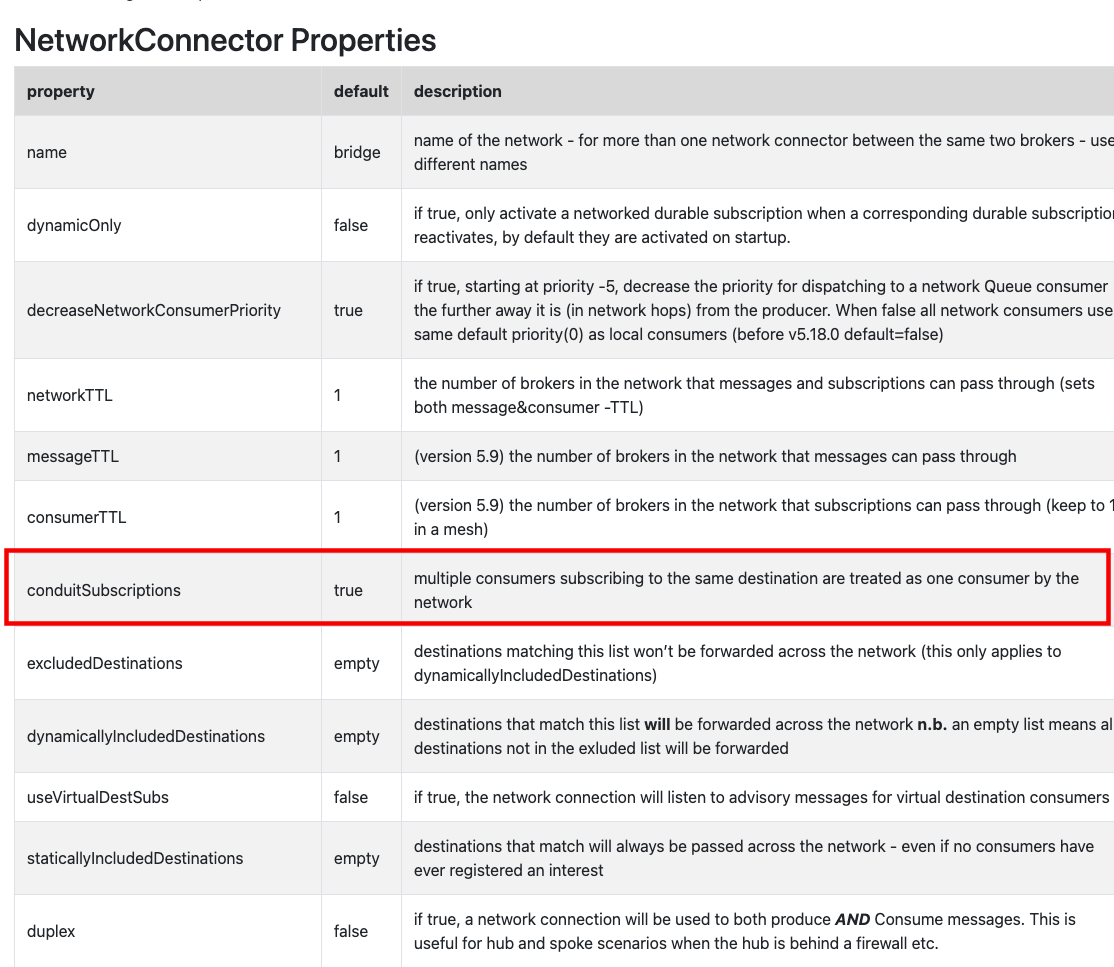
The conduitSubscriptions attribute

Per the ActiveMQ official docs

https://activemq.apache.org/networks-of-brokers

Multiple consumers subscribing to the same destination are treated as one consumer by the network, to avoid receiving the same message multiple times.

ActiveMQ relies on information about active consumers (subscribers) to pass messages in the network. With conduit subscriptions, if there are multiple remote subscriptions, the remote broker treats each message’s copy as valid, which can cause message duplication.

So the default conduit behavior consolidates all matching subscription info to prevent duplication from propagating in the network.

This way, N subscriptions on a remote broker look like a single subscription to the network broker.

However, if only queues are used, duplicate subscriptions are a useful feature, since the load-balancing algorithm will try to distribute the message load evenly; only when conduitSubscriptions=false will consumers across the network evenly share the message load.

For example, there are two brokers, A and B, connected to each other via a proxy bridge.

A consumer connected to broker A subscribes to a queue named Q.TEST, and two consumers connected to broker B also subscribe to Q.TEST, so there are three consumers, and assume all have equal priority.

Then, start a producer on broker A, writing 30 messages to Q.TEST. By default (conduitSubscriptions=true), 15 messages are sent to the consumer on broker A, and the remaining 15 to the two consumers on broker B.

But also because by default broker A treats the two subscriptions on broker B as one, the message load isn’t evenly distributed among all three consumers.

But if you set conduitSubscriptions to false, each of the three consumers gets 10 messages.

References

[+] Instance types - https://docs.aws.amazon.com/zh_tw/amazon-mq/latest/developer-guide/broker-instance-types.html
[+] Amazon MQ network of brokers - how does it work? - https://docs.aws.amazon.com/zh_cn/amazon-mq/latest/developer-guide/network-of-brokers.html#how-does-it-work
[+] ActiveMQ - NetworkConnectors - https://activemq.apache.org/networks-of-brokers