Building and Analyzing a Satellite Ground Station with SatNOGS
🌐 中文版:繁體中文
Introduction
I’ve long been fascinated by how satellites communicate with ground stations, including how satellites are tracked, how a ground station obtains orbital data (e.g. TLE, and the signal the SDR receives), and how the received signal is converted into a decodable IF frequency, and so on.
So I decided to use SatNOGS (Satellite Networked Open Ground Station) as my entry point, building a complete ground station that can automatically schedule, track, and receive satellite signals.
The hands-on process gave me a concrete understanding of how satellite missions operate and of the ground segment.
Introducing SatNOGS
SatNOGS is a global network of satellite ground stations where users can:
(1) build their own ground station, (2) join the global SatNOGS network, (3) receive and upload satellite observation data
Its architecture includes:
- SatNOGS Network: scheduling, task assignment, collecting results
- SatNOGS Client: locally controls the SDR, rotator, and recording
- SatNOGS DB: the satellite database (frequencies, modulation, TLE, etc.)
Official reference docs
- Build SatNOGS
- Ground Station Setup
System Architecture
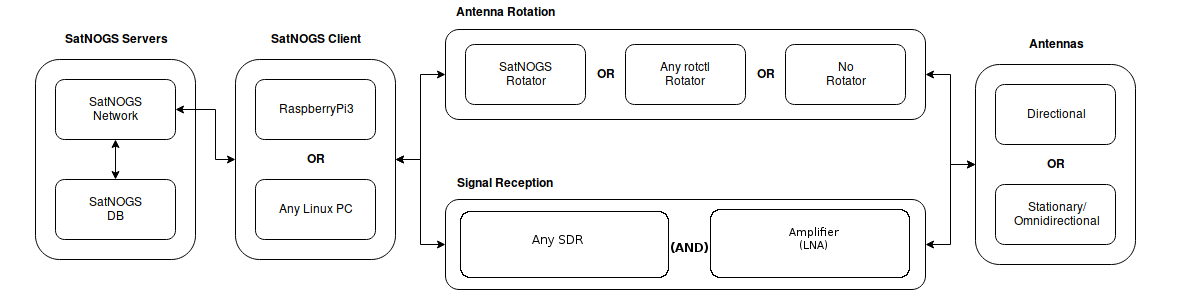
As the official docs show, there are multiple choices for building a SatNOGS ground station. The client above can be any Linux device, signal reception uses a software-defined radio plus a signal amplifier, the antenna can be directional or omnidirectional, and you can optionally add a rotator.
1 | +---------------------------+ |
Explanation:
- SatNOGS Network
Based on satellite TLEs and orbit prediction, it automatically assigns available ground stations to perform observations. - SatNOGS Client
Locally controls the SDR, receives signals, performs Doppler correction, and outputs observation results. - SDR device
Converts the RF received by the antenna into baseband / IF (depending on configuration). - Antenna
Determines reception quality (gain, directionality, noise, etc.).
The most critical part here:
the SatNOGS client must predict antenna direction and Doppler correction based on the TLE to successfully receive satellite signals.
A TLE (Two-Line Element set) contains a satellite’s orbital parameters and the corresponding epoch, describing the satellite’s orbital state at a specific time, serving as a mathematical model for predicting the satellite’s position and motion. So the SatNOGS client computes the satellite’s azimuth and elevation relative to the ground station at each moment based on the TLE. If the ground station has a rotator, the antenna can track the satellite in real time based on the result; even without a rotator, the system can determine when the satellite enters and leaves the ground station’s visible range (AOS/LOS).
For Doppler correction, the SatNOGS client uses the TLE to estimate the satellite’s radial velocity relative to the ground station, and from that computes the downlink signal’s Doppler frequency shift. Since low-orbit satellites move at extremely high relative speeds, the frequency shift can reach several kHz or more, so the system needs to dynamically adjust the SDR’s receive center frequency to keep the narrowband downlink signal within the receive bandwidth.
System Setup
Environment
Hardware
- Raspberry Pi 4 (8G RAM)
- SDR Device (HackRF One)
- Antenna
OS/ Software
- Raspberry Pi OS Bookworm
- Ansible
- SatNOGS client packages
I didn’t use a rotator; I wanted to first cobble together a prototype with the materials I already had, and selectively expand the architecture later.
Installing the OS
For installing and flashing the image, refer directly to this doc.
You can use Raspberry Pi Imager:
- Choose
Raspberry Pi OS (other)→Raspberry Pi OS Lite (64-bit)
Settings:
- username/password
- timezone / keyboard
- Enable SSH
- Wi-Fi
The official docs note that the currently-supported Raspberry Pi OS version is bookworm, and recommend Lite to save resources.
After installation, you can SSH into the Raspberry Pi.
1 | ssh pi@raspberrypi.local |
Once in, install the SatNOGS software.
1 | sudo apt update && sudo apt -y upgrade |
After installation, a config menu should pop up; if not, run this manually.
1 | sudo satnogs-setup |
This command runs an Ansible runbook to run the satnogs-config container.
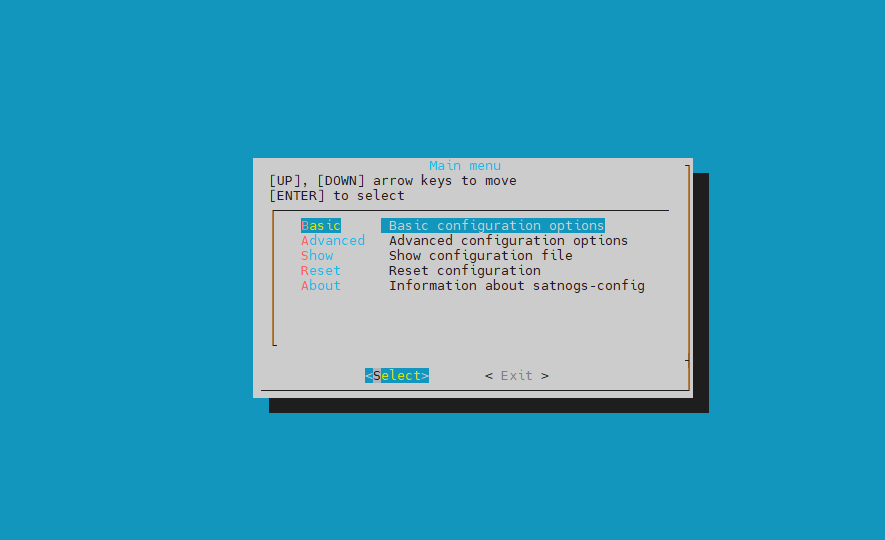
This configuration isn’t one-time; you can rerun and reconfigure anytime.
Basic Configuration
Choose Basic Configuration to configure.
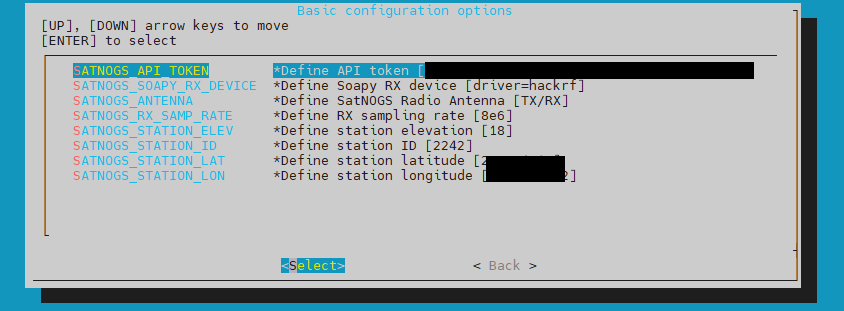
In the menu, fill in at least the following (these are the official Basic field descriptions):
| Setting | Description |
|---|---|
SATNOGS_API_TOKEN |
your Network API token |
SATNOGS_STATION_ID / LAT / LON / ELEV |
station info |
SATNOGS_SOAPY_RX_DEVICE |
which SDR you use, RTL-SDR: driver=rtlsdr, HackRF: driver=hackrf |
SATNOGS_ANTENNA |
RTL-SDR: RX, HackRF: TX/RX |
SATNOGS_RX_SAMP_RATE |
sample rate. RTL-SDR commonly: 2.048e6 (official recommendation), HackRF: 8e6 |
The
SATNOGS_API_TOKENand other station info above require you to register an account on SatNOGS Network and create your ground station, after which you get the API key.
Also, a little tip here:
Check available antennas: SoapySDRUtil --probe 2>&1 | grep Antennas
Check supported sample rates: SoapySDRUtil --probe 2>&1 | grep Sample
Advance Configuration
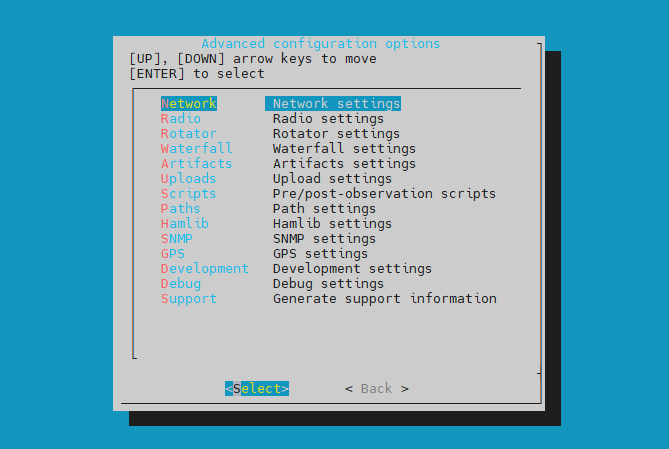
Advanced configuration is up to you. For example, if you have a rotator you can set its baud rate and port here. Or if you want to change the final waterfall’s MAX/MIN Power, you can set it here. Or adjust the log level here. But we’ll keep everything at default for now.
After configuring, Exit, and the system applies the changes, which may take a few minutes.
HackRF Configuration
In my setup the HackRF connects to the Raspberry Pi over USB, so I need to ensure the HackRF is usable. Problems I repeatedly hit during setup were:
- The container/system can’t see the SoapyHackRF driver
- It can see the USB but the permissions are wrong (udev rules / group)
Installing the HackRF Soapy module
Ref: https://community.libre.space/t/hackrf-with-satnogs-installation-needed/11105
On Bookworm the package name may be soapysdr-module-hackrf or versioned (e.g. 0.7/0.8), so I recommend this:
1 | sudo apt update |
After installing, you can verify on the host.
1 | SoapySDRUtil --probe="driver=hackrf" |
Setting up udev rules + plugdev
If SoapySDRUtil can see it but SatNOGS / the container can’t, nine times out of ten the udev permissions are the problem.
Confirm the udev rules are consistent.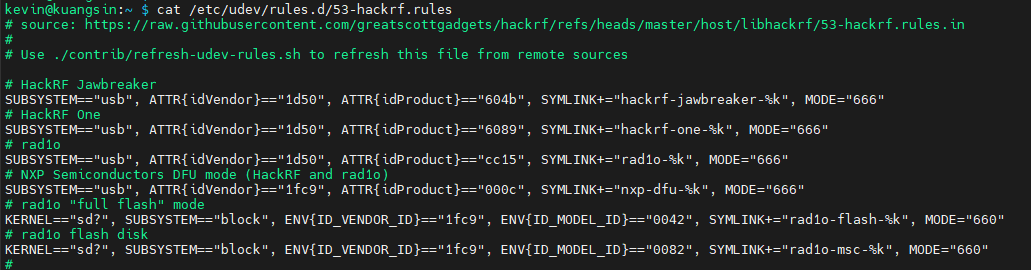
1 | sudo udevadm control --reload-rules |
Then add the satnogs user to plugdev.
1 | sudo usermod -a -G plugdev satnogs |
Finally, reboot to apply the changes.
1 | reboot |
Verifying the installation
After rebooting, first check the network.
1 | ping -c 3 network.satnogs.org |
Then confirm satnogs-client is running.
1 | kevin@kuangsin:~ $ sudo docker ps -a |
Confirm the HackRF can be detected inside the container.
1 | sudo docker exec -it satnogs_satnogs-client SoapySDRUtil --probe="driver=hackrf" |
If this line can see the HackRF, the udev setup is correct.
Output:
1 | ###################################################### |
Observations
When setting up a ground station, you need to register an account on SatNOGS Network and create your ground station.
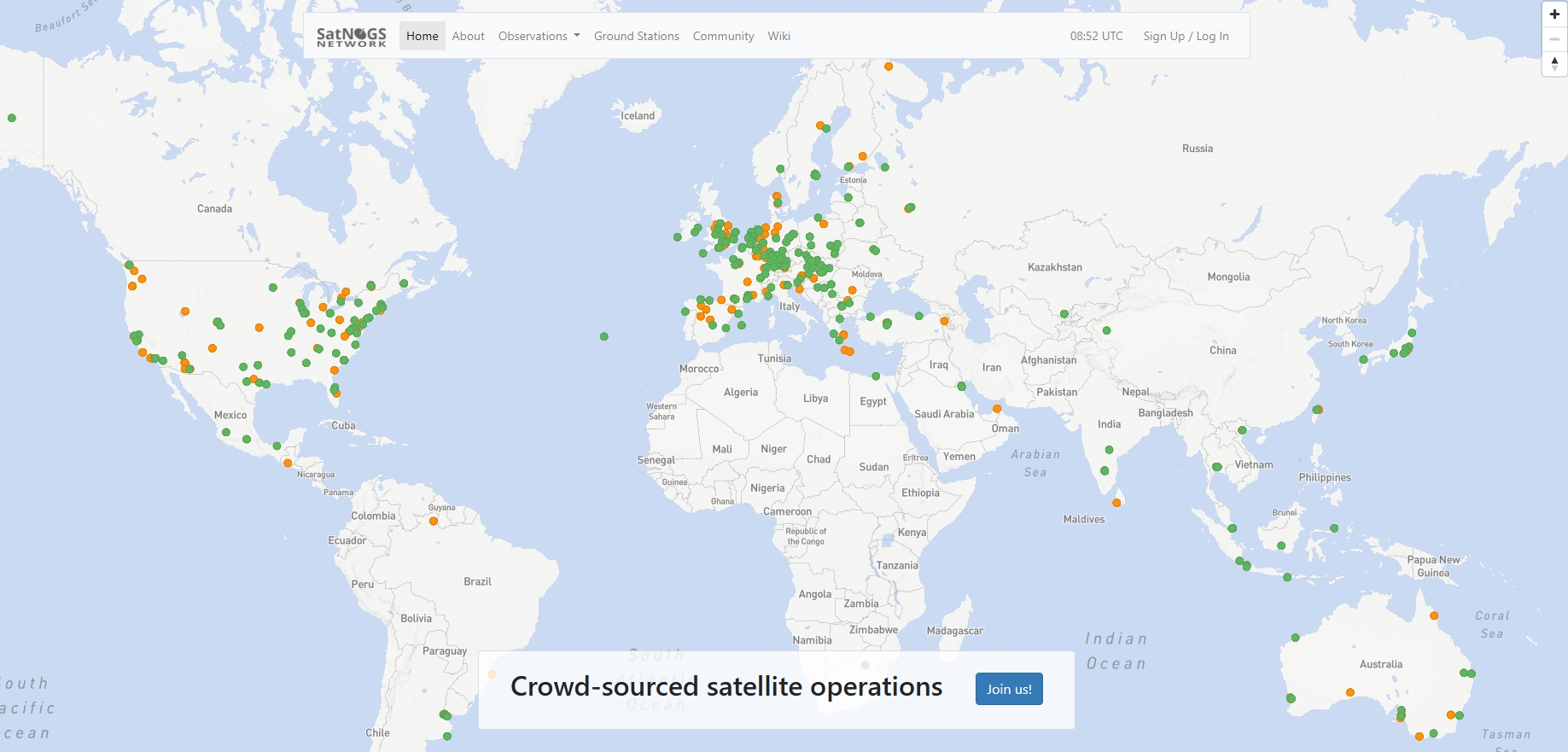
After creating an account and logging in, choose Add Ground Station from the main page.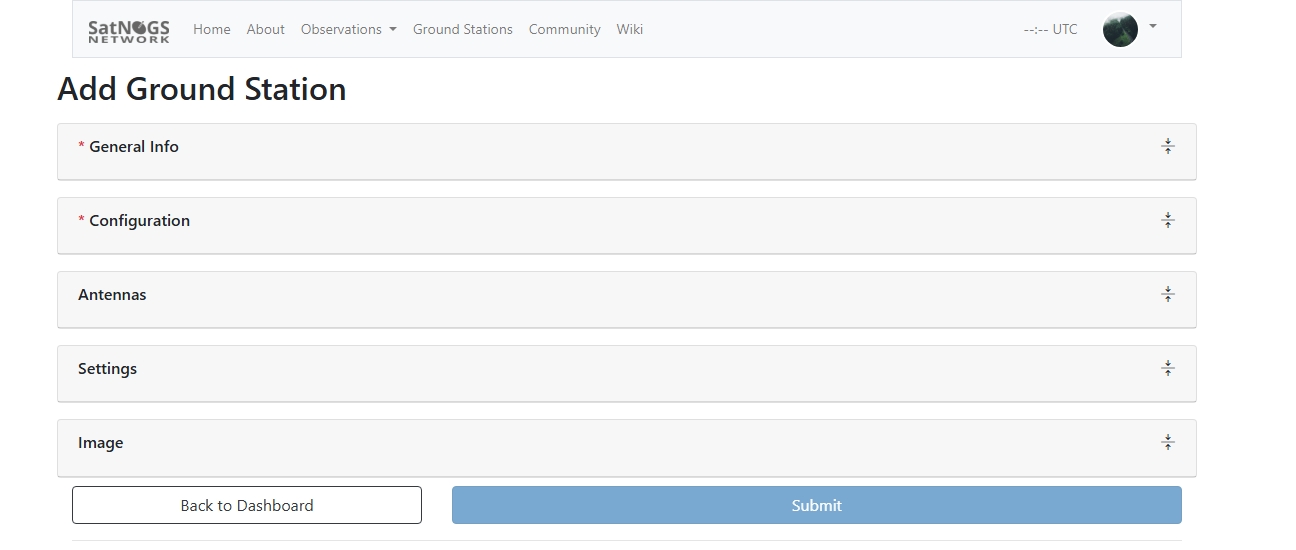
- General Information: fill in the station name and description
- Configuration: fill in the station’s latitude, longitude, and elevation
- Antenna: choose your antenna type
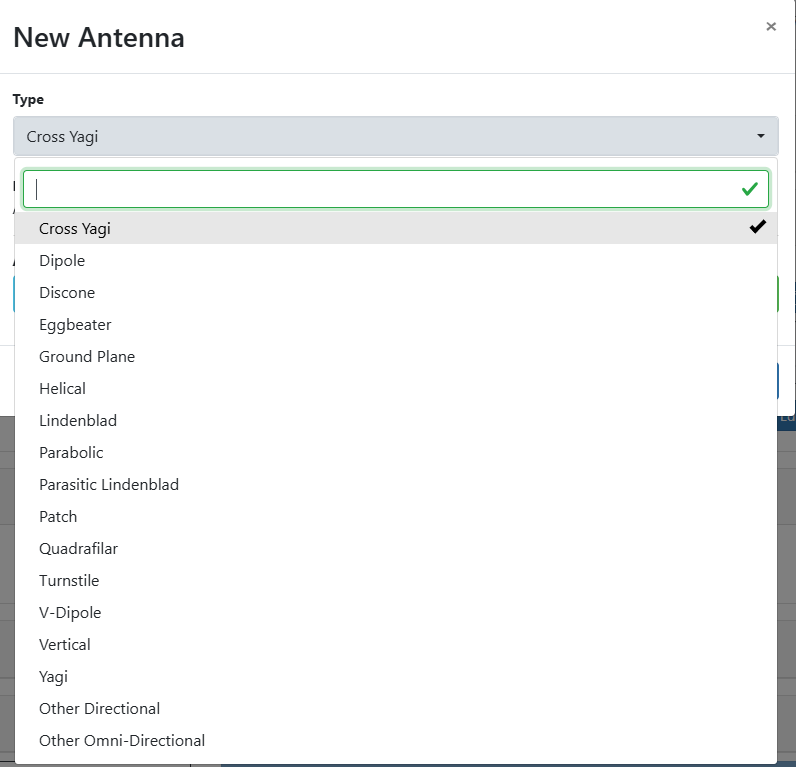
The other settings and image are up to you. Once created, you get a Ground Station ID, which you need to enter in your client via satnogs-setup.
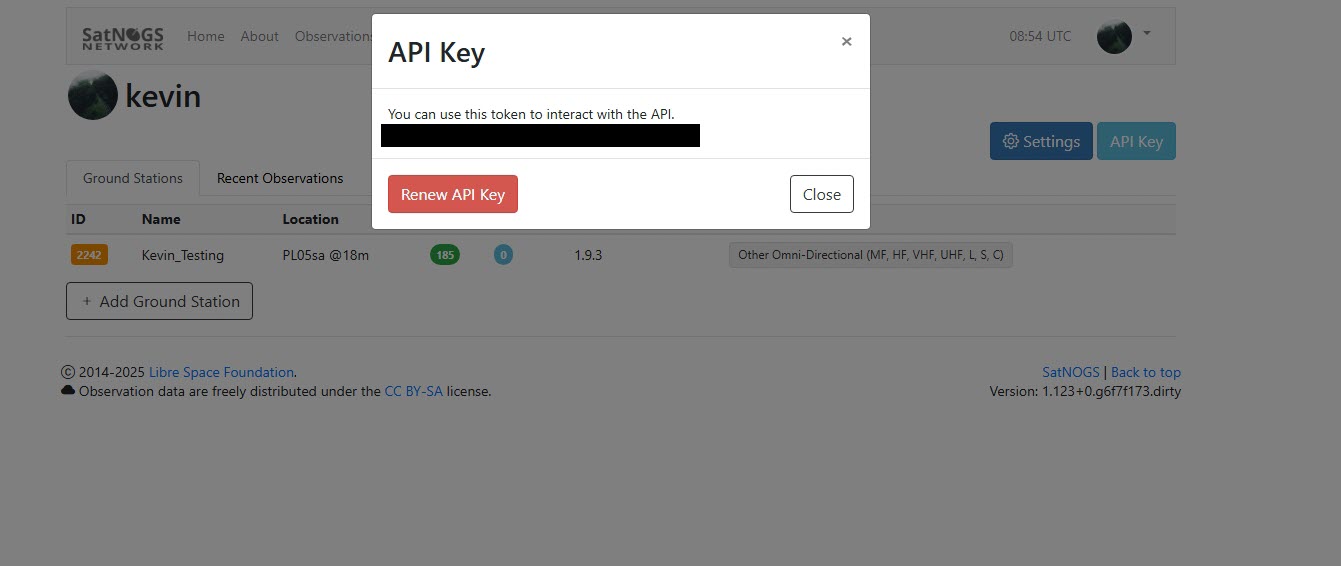
You also need to enter the API key into your client config.
Scheduling observations
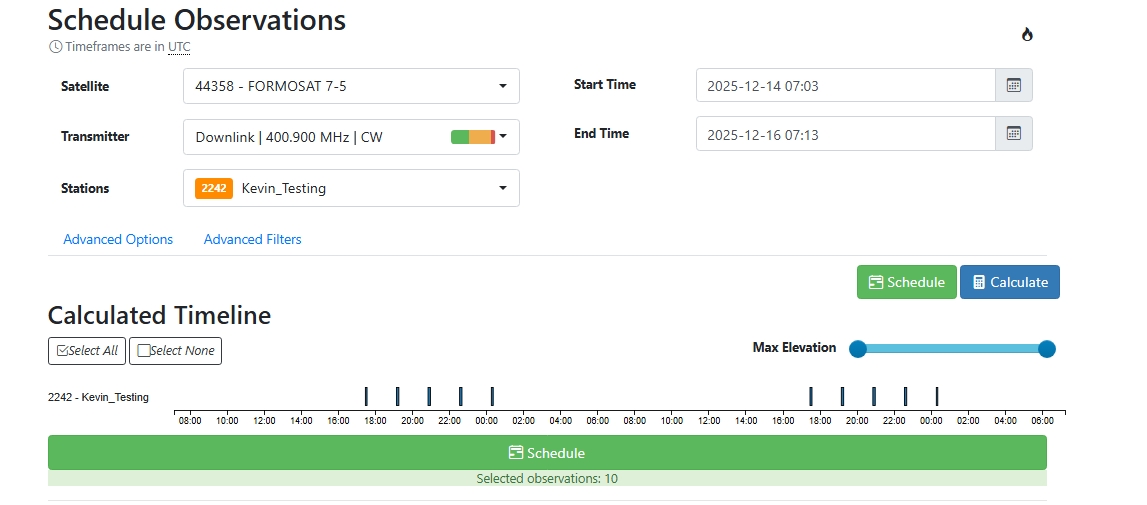
In SatNOGS Network, you can schedule observations under Observations > Schedules: choose the satellite you want to observe, choose the transmitter and which ground station to observe with (just choose your own), then choose start and end times. When you click calculate, the timeline below shows the schedulable times; for convenience I always select all and click Schedule.
After scheduling, your ground station observes at the specified times, and the results appear under Recent Observations on your main page.
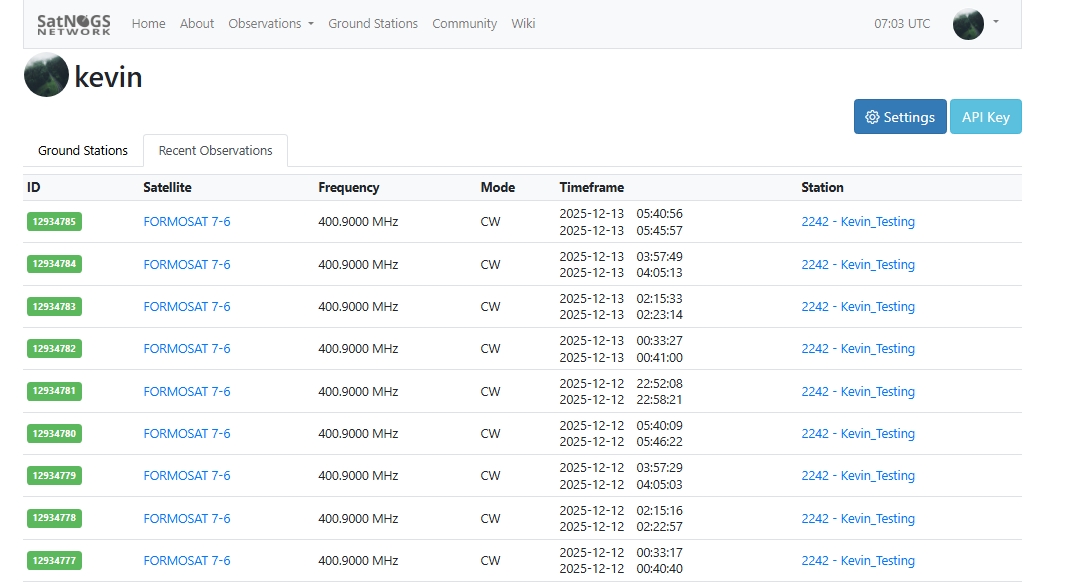
Observation results
The target this time was Taiwan’s FORMOSAT-7 (COSMIC-2), with a downlink frequency of 400.9000 MHz (CW). In the waterfall image, you can clearly see a continuous, smoothly-curved high-energy trace, representing the satellite’s downlink carrier frequency producing a noticeable Doppler shift over time as it passes overhead.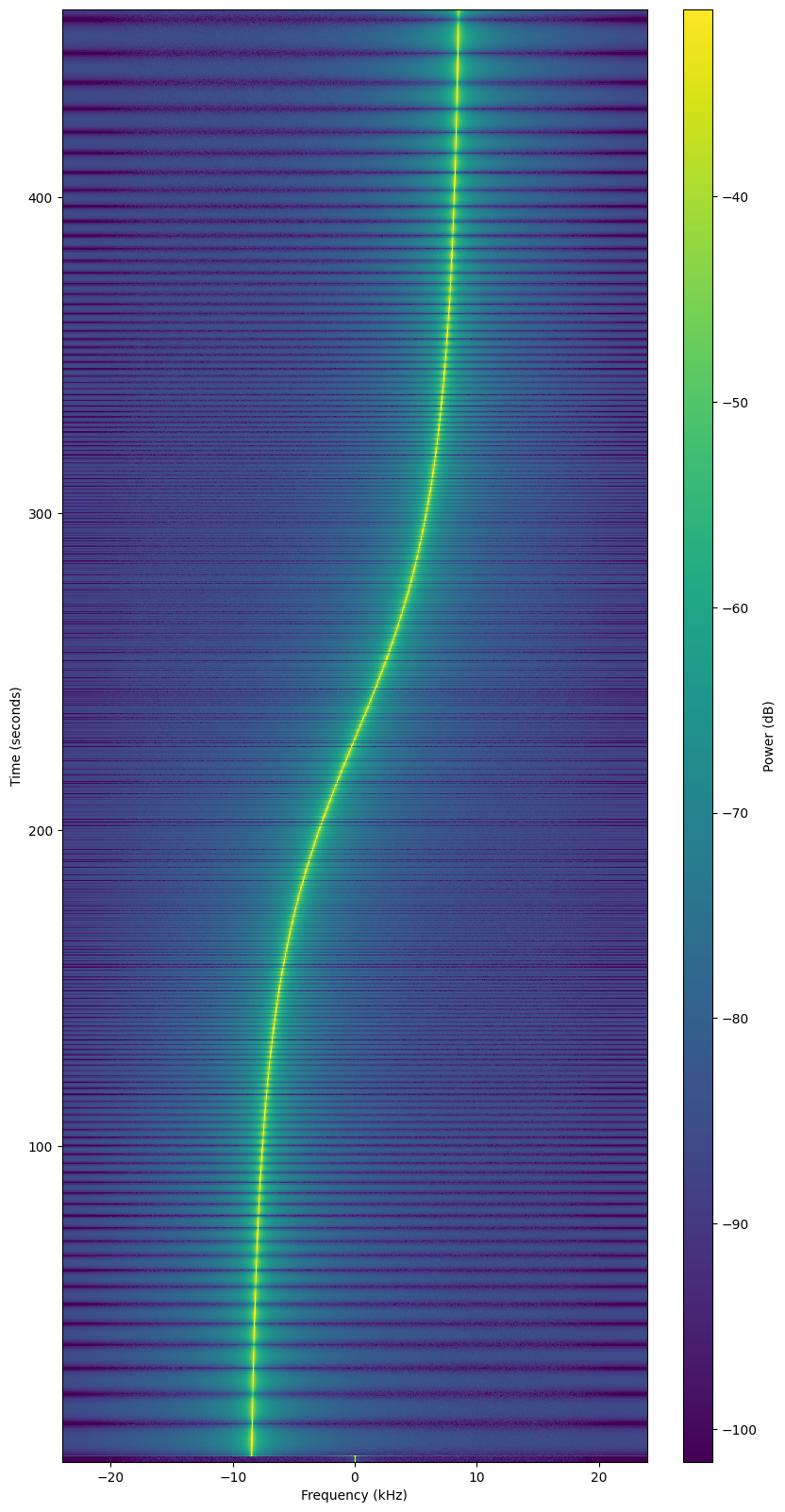
Observation details
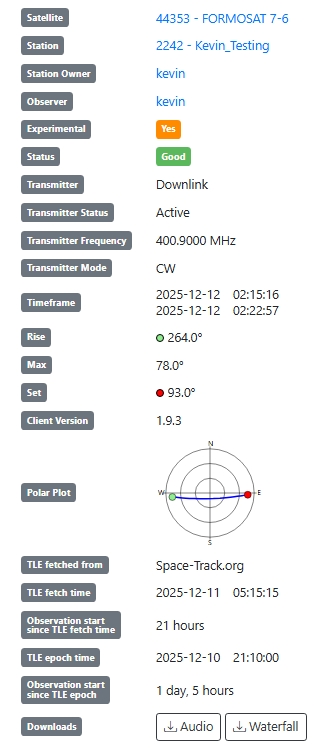
During the early AOS (Acquisition of Signal) phase, the satellite approaches the ground station at high speed, with a negative relative velocity, shifting the received frequency below the nominal frequency. As the satellite’s elevation rises and approaches its highest point (Max Elevation ≈ 78°), the relative radial velocity approaches zero, and the frequency shift gradually returns near the center frequency. When the satellite starts moving away into the LOS (Loss of Signal) phase, the Doppler shift reverses direction, and the received frequency gradually shifts above the nominal frequency.
This phenomenon is completely consistent with low-orbit satellites’ high speed of about 7–8 km/s, and verifies the correctness of the SatNOGS client’s orbit prediction and real-time Doppler correction based on the TLE. The overall frequency trace is continuous and stable, showing that the ground station’s time synchronization, TLE freshness, and SDR settings are all within acceptable ranges.
What is the bright line in the middle? It’s the satellite’s CW carrier. Since the satellite moves at high speed with a changing relative velocity, per the Doppler shift formula: $ \Delta f = \frac{v}{c} f_0$
- $\Delta f$ is the shifted frequency in Hz. It represents the difference between the actual received frequency and the satellite’s nominal downlink frequency, i.e. $f_{\text{received}} - f_0$
- $v$ is the satellite’s velocity component relative to the ground station, not the satellite’s total velocity, but the velocity component along the ground-station ↔ satellite line of sight
- approaching you → $v < 0$ (frequency decreases)
- moving away → $v > 0$ (frequency increases)
- directly overhead → $v ≈ 0$
- $c$ the speed of light, about $3 × 10^8 \text{m/s}$
- $f_0$ the satellite’s nominal downlink frequency; for this observation $f_0 = 400.900Mhz$, from the satellite’s specs
The nominal downlink frequency is usually the theoretical downlink frequency defined in the satellite’s documentation, but in reality there’s the Doppler effect, and the satellite and ground station aren’t relatively stationary, so the frequency always shifts, making it unlikely to see the carrier exactly centered at 400.9 MHz.
We can plug in the observed numbers to verify. A low-orbit satellite’s speed is about $v_{\text{orbital}} \approx 7.5 \text{ km/s}$, i.e. $7500 m/s$.
$ \Delta f = \frac{7500}{3 x 10^8} \cdot 4.0009 \times 10^8$ gives a $\Delta f$ of about $10022.5$ Hz, i.e. $10$ kHz, consistent with the shift range observed in the image (-10kHz ~ +10kHz).
Audio, Text and Metadata
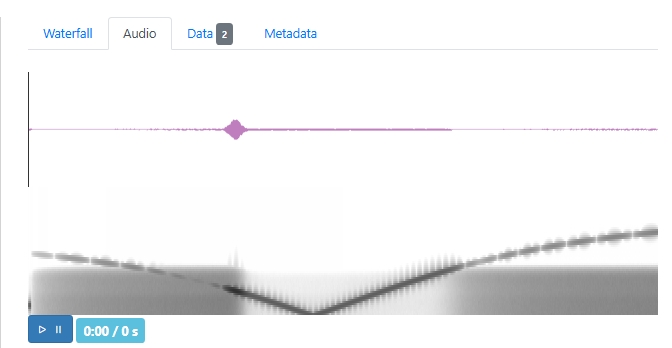
The audio received this time wasn’t decodable digital data, but the result of the Doppler-shifted carrier signal converted into the audio band. As the satellite approaches the ground station, the pitch gradually rises and peaks near maximum elevation; then it gradually falls as the satellite moves away. This phenomenon is completely consistent with the Doppler effect when a low-orbit satellite passes a ground station, showing the RF carrier tracking is working.
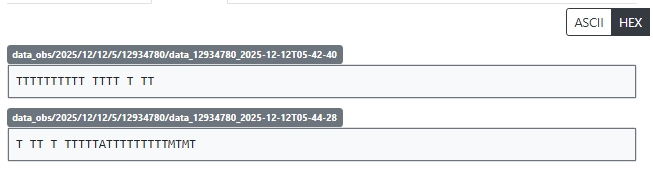
The received data isn’t a valid telemetry packet; FORMOSAT-7 probably uses a CW beacon at this frequency rather than a decodable digital modulation format, so only sporadic symbols appear. This also means RF reception succeeded, but the modulation and decoding settings need to match the satellite’s spec.
Criteria: no sidebands, no symbol pattern, no framing structure. Plus a very thin, continuous, non-splitting bright line, which is the typical feature of a CW (Continuous Wave) or unmodulated beacon.
Metadata
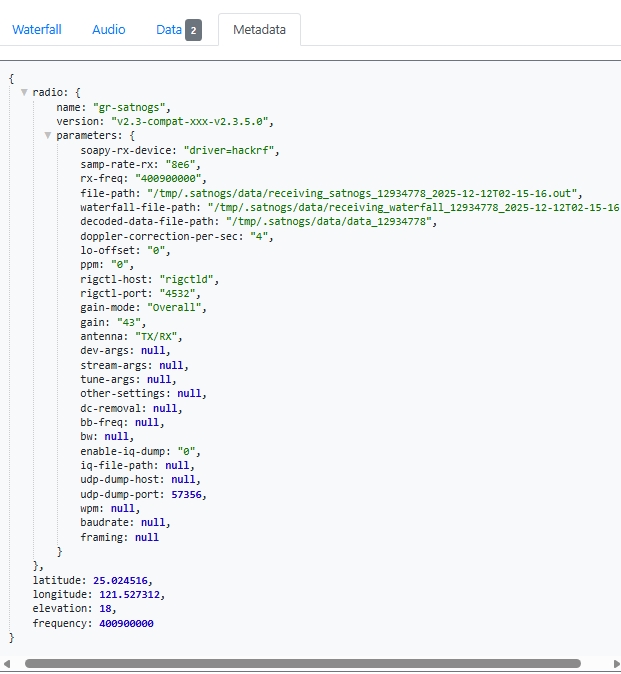
The observation used a HackRF SDR at an 8 MHz sample rate, with the center frequency set to 400.900 MHz, and Doppler correction enabled based on TLE data from Space-Track.org.
Results
Through this hands-on build and observation, I cobbled together a simple small ground station and successfully observed and received a low-orbit satellite signal, verifying the station’s overall RF reception and tracking ability during a low-orbit pass. From the waterfall image I obtained a continuous, extremely narrowband carrier trace whose frequency shows a smooth Doppler shift over time, showing the system can correctly do frequency tracking and Doppler correction based on the TLE.
Although the received audio wasn’t decodable digital telemetry but the result of the Doppler-shifted carrier converted to the audio band, it successfully verified the station’s operation at the orbit-prediction, Doppler-compensation, and RF-reception levels, which is a result that meets expectations. To further improve the station’s observation capability, in the future I hope to add a rotator so the antenna tracks the satellite in real time, improving link quality and signal stability during low-elevation passes. I should also further confirm the satellite’s actual modulation and framing spec, set up the corresponding demodulator and decoder, and try to decode the actual telemetry data.
If you find my articles helpful, please support Kevin!
 Use boba to safe Kevin!